


GoGlow
4.648.00 Reviews
App Specs
- Version
- 3.1.1
- Updated On
- License
- Free
- Downloads
- 50,000+
- Developer
- NGMOB PTE LTD
- Categories
- Photography
- Platform
- Android
Screenshots
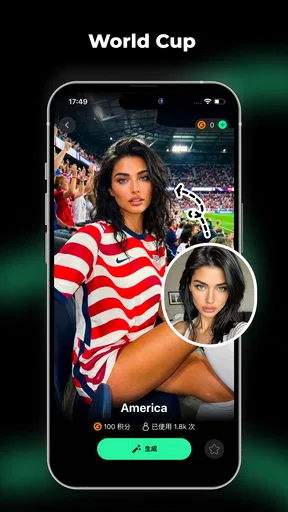
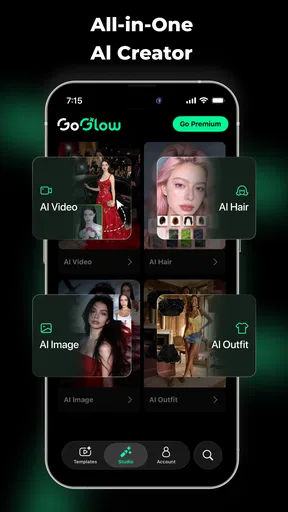
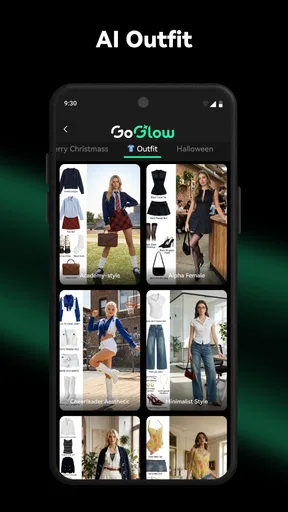
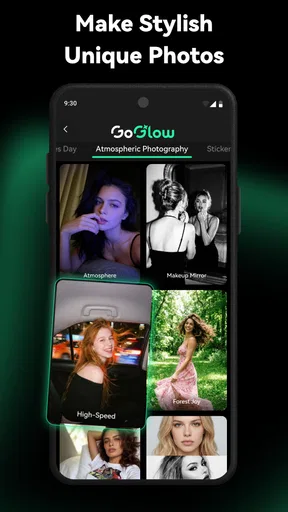
 Analysis by AppCompare
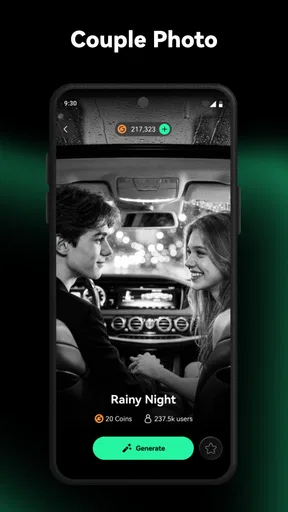
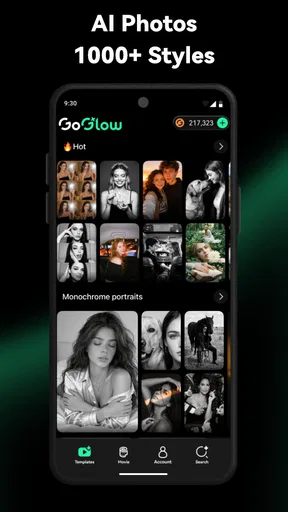
I approached GoGlow as a photography app for people who want to create images and videos with AI rather than spend time learning a traditional editing suite. Its central appeal is simple: start with an idea, turn that idea into visual material, and refine the result until it is useful enough to share. In my experience, that makes it more interesting than a basic filter app, but also more demanding than the short store summary suggests. The quality of the experience depends heavily on how clearly you describe what you want and how willing you are to review the output rather than accept the first result.
GoGlow is free to install, with optional purchases ranging from a few dollars to much higher amounts per item. That pricing structure matters because AI creation tools can encourage experimentation, and experimentation can become expensive if every attractive option is treated as essential. I would begin with the free experience, learn what the app actually lets me create, and only then decide whether a purchase fits my routine. The app is aimed at Everyone, runs on Android seven or later, and comes from NGMOB PTE LTD.
How GoGlow feels when used for real creative work
I focus on the practical habits that make creative work with GoGlow more intentional: deciding what a result needs to do before generating it, then judging each version against that purpose. That approach helps me spend less time chasing attractive but unusable variations. From there, the next section looks at which choices are worth checking before I settle into a repeatable workflow.
A practical starting point for AI photography
The first thing I noticed about an AI image and video generator is that it changes the creative process. With a normal camera app, I begin with a real scene. With a conventional editor, I begin with an existing photo. GoGlow instead asks me to begin with an intention: a mood, subject, setting, or visual concept. That can be liberating when I have a clear idea but no suitable photograph, although it can feel vague when I am unsure what to write.
I found the best results came from treating each request as a small creative brief. Rather than entering a single word such as “portrait,” I would describe the subject, atmosphere, lighting, composition, and intended use. This is not just a prompt-writing trick. It is a way to reduce random results and make later comparisons easier. If the first attempt misses the mood, I can change one element at a time instead of rewriting everything and losing track of what helped.
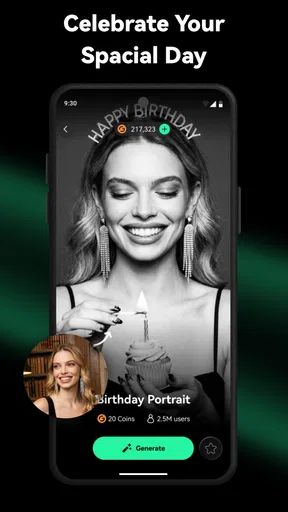
A useful everyday scenario is preparing a visual for a personal event. Imagine that I am making a digital invitation for a birthday gathering but do not have a photo that matches the theme. I could use GoGlow to explore a colorful background, a playful scene, or a short animated visual, then place the chosen result into a separate invitation tool. The value is not that the app replaces the entire design process; it gives me a fast source of custom material when stock images feel too generic.
Where it differs from camera and editing apps
Traditional camera apps remain better when authenticity matters. If I need a faithful record of a product, a family moment, or a location, I would use a camera and edit the real image. GoGlow is more suitable when the goal is imagination, illustration, mood, or concept development. It can help me visualize an idea before investing time in a full project, but it should not be my first choice for documentary photography.
Worth Reading Before You Choose

Flipboard Shows What News Apps Must Do Beyond the Feed

Switching to Android Auto Means Rethinking Your Driving Routine

Google Calendar Makes a Crowded Week Easier to Manage

Ludo King Makes the Most of the Minutes Between Plans

Baby Panda World Brings Quick Play to Modern Phones, but Its Game Library Feels Busy

ESPN’s Live Game View Makes Following Close Games Easier
It also occupies a different space from established photo editors. An editor gives precise control over cropping, color, layers, retouching, and export decisions. GoGlow is more exploratory. I can move quickly from an idea to a generated visual, but I should expect less direct control over every small detail. That trade-off is worthwhile for brainstorming and social content; it is less attractive for professional work that requires exact brand colors, consistent subjects, or repeatable layouts.
Compared with a conventional video editor, the appeal is speed at the creative starting point. I can use AI-generated material when I lack footage or want an unusual transition concept. The limitation is that generated content still needs human judgment. A visually striking result may not communicate the intended message, and a short generated sequence may not fit naturally into a longer edit. I would use GoGlow as one stage in a workflow, not as a complete replacement for editing software.
Trust begins with what the app clearly lets me control
Because this is an AI creation app, I pay attention to user choices as much as visual output. Before importing personal material or creating something based on a recognizable person, I would read each on-screen request carefully and choose the narrowest access that still supports the task. I do not treat a convenient button as a reason to share more than necessary.
The same cautious approach applies to account decisions. If GoGlow presents sign-in, purchase, or sharing choices, I would pause long enough to understand which action is optional and which is needed for the feature I want. I prefer apps that make those choices visible instead of pushing me through them automatically. Since the practical experience can change with updates, I would also revisit the app’s current privacy and account screens before using it for sensitive images.
This is especially important for photographs containing children, identification documents, private interiors, work materials, or other people who have not agreed to AI processing. My rule is straightforward: use harmless test material first, avoid uploading anything confidential, and remove a draft from the app or device when I no longer need it if the available controls allow that. The point is not to assume a hidden practice; it is to keep my own decisions deliberate.
Small workflow choices that improve the results
One of my more useful habits is keeping a short record of prompts that produce a promising style. I do not copy the entire request blindly. Instead, I separate the parts that define the subject from the parts that define the look. That makes it easier to reuse a visual direction for several related images without making every result identical.
I also inspect generated faces, hands, lettering, and object edges before sharing anything. These areas can reveal mistakes that are easy to miss in a quick preview. Text inside an AI-created image is another weak point in many generative workflows, so I would add important wording later in a dedicated design app rather than rely on the generated image to spell it correctly.
A third practical tip is to create variations with a purpose. Instead of generating many nearly identical versions, I might change the camera angle in one, the background in another, and the lighting in a third. This turns the app into a comparison tool. It also helps me avoid spending purchases or time on random repetitions that do not answer a specific creative question.
Video creation needs a different kind of review
Images are easy to judge at a glance, but AI video needs to be watched from beginning to end. I look for distracting motion, sudden changes in the subject, awkward transitions, and moments that do not match the intended tone. A clip can appear impressive as a still frame and become unsuitable once movement begins.
For short social posts, I would keep the message simple and let the generated visual support it. If the video needs a precise sequence of actions, a recognizable person, or continuity across several shots, I would be more cautious. A conventional editor using real footage may take longer, but it offers a clearer path to consistency. GoGlow is strongest when atmosphere matters more than exact physical continuity.
What the current app details tell me about access
GoGlow is listed at version 3.1.0, and its Android requirement is seven or later. That makes it accessible to a broad range of Android users, although AI generation can still feel more comfortable on a recent device with a stable connection and enough free storage. I would avoid judging the app only by whether it installs; the more important question is whether the creation process remains smooth on the phone I actually use.
The app has an average rating of 4.5 from roughly four hundred ratings, alongside dozens of written reviews and more than fifty thousand installs. Those figures suggest that people are trying it and generally responding positively, but they are not a substitute for checking whether its creative style matches my needs. AI apps can receive strong reactions from users who enjoy experimentation while disappointing users expecting exact editing controls.
The Everyone age classification makes it approachable for general audiences, but I would not confuse that label with a guarantee that every generated result will suit every situation. I still review outputs before sharing them, particularly when a visual could be misunderstood or when it includes a person-like subject. Responsible use comes from the choices I make around the tool, not only from its category label.
Costs, limits, and the importance of user agency
The free entry point is helpful because I can test the basic workflow before spending anything. The presence of in-app purchases, however, means I would pay attention to what each purchase unlocks and whether it is a one-time choice or something connected to repeated use. The listed range runs from $2.99 to $99.99 per item, so I would not tap a purchase casually, especially while experimenting with multiple prompts.
My preferred approach is to define the project before opening the generation screen. I decide how many usable assets I realistically need, which results are essential, and whether a free alternative such as my own camera, a stock library, or a standard editor would solve the problem more economically. This prevents the app from turning a small creative task into an open-ended spending session.
I would also check the device’s purchase protections and keep an eye on confirmation screens. If another person, particularly a child, uses the phone, purchase controls become even more important. These are ordinary safeguards, but they matter more in an app designed to make repeated generation feel effortless.
Who will get the most from GoGlow
I think GoGlow is a good fit for a curious creator who wants fast visual ideas without mastering complicated software. It can be useful for social media concepts, mood boards, personal invitations, imaginative wallpapers, early-stage story development, and quick visual experiments. It is also helpful when I know the feeling I want to communicate but do not have the photography skills or source material to create it manually.
Small businesses and independent creators may find value in using it for brainstorming. I could generate several directions for a campaign, then choose one and rebuild the final design with more precise tools. That workflow respects the app’s strength—rapid ideation—while avoiding the expectation that a single generated result will be a finished brand asset.
I would skip GoGlow if my priority is exact retouching, professional color management, reliable typography, detailed layer control, or faithful product representation. I would also be cautious if I mainly want to edit private photographs and do not need synthetic content. In those cases, a conventional editor or an on-device tool may be a better match because the task starts with control and privacy rather than generation.
A balanced view of the friction
The biggest weakness is the gap between imagining an outcome and describing it precisely. Beginners may produce something attractive but unrelated to their original idea, then blame the app when the real issue is an under-specified request. Learning how to guide the generator takes patience, and the process can become repetitive when several attempts miss one important detail.
There is also a review burden. I need to inspect every result for visual errors, unintended details, and suitability for the audience. That is manageable for casual content, but it becomes tiring when I need a large set of consistent assets. The more exact the project, the more likely I am to combine GoGlow with another application or choose a traditional workflow from the beginning.
Finally, AI-generated work can look polished without feeling personal. I have to add the human decisions: selecting the right image, writing the message, adjusting the composition, and deciding whether the result genuinely communicates something. GoGlow can shorten the distance from idea to draft, but it does not remove the need for taste or responsibility.
My cautious recommendation
After using GoGlow as an AI photography and video companion, I see it as a practical creative sandbox rather than a complete production studio. Its free starting point makes testing sensible, its broad device compatibility is convenient, and its strong average response from current users gives it a reasonable first impression. The app is most convincing when I use it to explore possibilities quickly and then finish important work elsewhere.
I would recommend it to someone who enjoys visual experimentation and is comfortable reviewing generated material carefully. I would not recommend treating it as a private archive for sensitive photographs, an exact replacement for a camera, or a professional editor with predictable control. Start with non-sensitive material, learn the visible account and purchase choices, test the free workflow, and keep a clear budget before considering an in-app purchase.
My final view is cautiously positive: GoGlow is worth trying when imagination and speed matter more than precision. Its best results come from thoughtful prompts, deliberate selection, and a willingness to combine AI generation with familiar photography or design tools. If that sounds like your workflow, it can become a useful addition to your creative routine; if you need certainty, continuity, or detailed manual control, another kind of app will serve you better.
Pros
- Simple interface makes daily use easy for most users.
- Helpful reminders encourage users to stay consistent.
- Progress tracking makes personal improvements easier to notice.
- Works well for short sessions when time is limited.
- Suitable for beginners without requiring advanced knowledge.
Cons
- Some features may be restricted to premium subscribers.
- Results can vary depending on individual habits and consistency.
- Notifications may feel repetitive after extended use.
- Limited customization could disappoint experienced users.
- The app may consume extra battery when running in the background.
FAQs for GoGlow
What is GoGlow and what can I use it for?
GoGlow is a beauty and lifestyle application designed to help users discover, organize, and manage glow-up routines and related self-care activities. Depending on the version and region, it may include beauty inspiration, personalized recommendations, routine planning, product-related content, or progress tracking. Before downloading, check the current store description because available features can differ between Android and iOS releases.
Is GoGlow free to download and use?
GoGlow may be available as a free download, but some tools, content, or personalized features can require in-app purchases or a subscription. I recommend reviewing the pricing page carefully before starting a trial, especially to see the renewal frequency and cancellation terms. Also check whether the free version includes enough features for your needs without requiring payment.
Does GoGlow collect personal information?
Because GoGlow may personalize recommendations, routines, or user progress, it can request information such as preferences, profile details, usage activity, or device permissions. The exact data collected depends on the app version and your settings. Before creating an account, read the privacy policy and review permissions so you understand how information is stored, used, and shared.
Is GoGlow suitable for beginners?
GoGlow can be useful for beginners if you want structured inspiration and an easier way to organize self-care or beauty habits. However, recommendations should not automatically be treated as professional medical or dermatological advice. Users with sensitive skin, allergies, or specific health concerns should check ingredients carefully and consult a qualified professional before following a new routine.
Can I use GoGlow without an internet connection?
GoGlow’s offline capabilities depend on the specific features and the latest app version. Basic information that has already loaded may sometimes remain accessible, but personalized recommendations, account synchronization, online content, purchases, and progress backups generally require an internet connection. If offline access is important to you, test the app after installation and check its current requirements in the store listing.


